How to get a recipe from a reel when it's only said out loud
The caption says “recipe in the video” and the quantities fly past in the voiceover. You don't have to replay it ten times with a pen.
Check the comments and the creator's site first
Many creators pin the recipe in the first comment or link a full version from their bio. If it's there, copy it or share that link to your recipe app.
Let an app listen to it
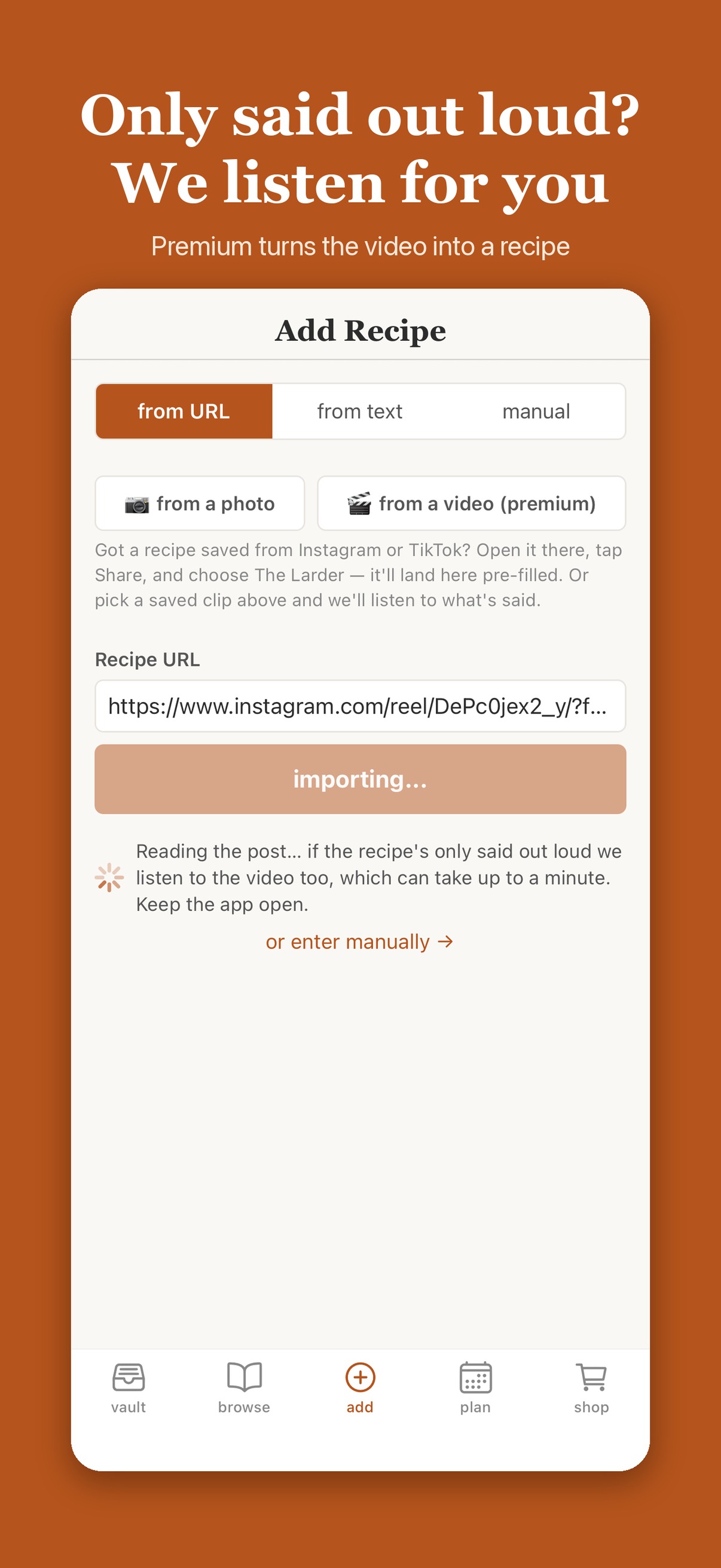
Share the reel to The Larder. If there's no recipe in the caption, Premium transcribes what's said and turns it into ingredients and steps, usually within a minute or two. Free accounts are told when a reel needs listening, so you're never charged an import for nothing.
Check the quantities
Spoken recipes can be vague (“a good glug of oil”). The app writes down what was said, so give the amounts a quick look before you cook, especially for baking.
The Larder turns recipe reels, TikToks and websites into real recipes in one tap. Free to start.
Get the iPhone appUse it on the webQuestions
Which apps does this work with?
Instagram reels, TikTok and YouTube videos.
Is listening to videos free?
It's part of Premium, which has a free trial on iPhone.